

Creating a Sample Identification Card (TL-0101/0502)
Description
DIME users can generate a complete TL-0101/0502 form at any time after a DIME Sample Record has been created. DIME Sample Records contain all necessary information for the testing laboratory(s)/organization(s) to provide test data reports to stakeholders and generate a prepopulated TL-0101/0502 form.
Who can perform this task?
Any user with a DIME account can create a DIME Sample Record. A TL-0101/0502 is generated by users whether they are logged in to DIME or not with the information from the DIME Sample Record.
Steps
- You will first need to log in to the DIME application. If you do not have an account, please follow the directions on the login page to obtain one.
-
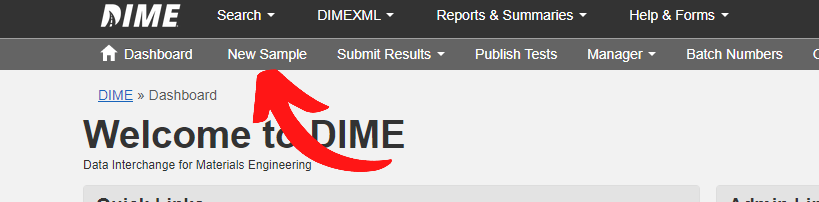
Create and save a new DIME Sample Record.
This will generate a DIME Sample ID which uniquely identifies the sample in the Statewide DIME application.
-
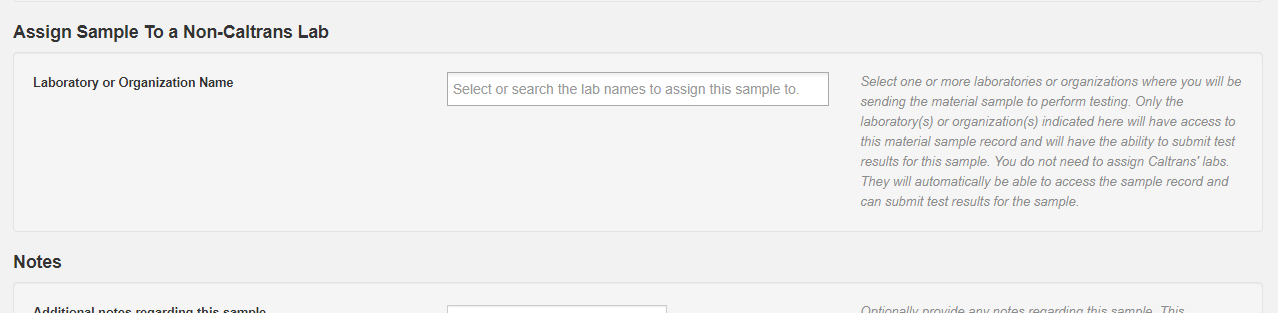
Near the end of the process of creating a new DIME Sample Record, you will be able to choose one
or more laboratories/organizations to where the material sample will be sent to perform testing.
Please note the following:
- Your own organization is recorded as an owner of the sample automatically. You do not need to select it, and it cannot be removed from the sample record.
- If you will be sending the material sample to another laboratory/organization for testing, select it here. Both Caltrans and non-Caltrans laboratories can be selected.
- A non-Caltrans laboratory/organization must be selected here, otherwise it will not be able to access the sample record or submit test results for the sample. Caltrans laboratories can already access sample records without being selected; selecting one records that it is the laboratory performing the testing.
-
There is more than one way to access the TL-0101/0502 form after the sample is created in DIME
-
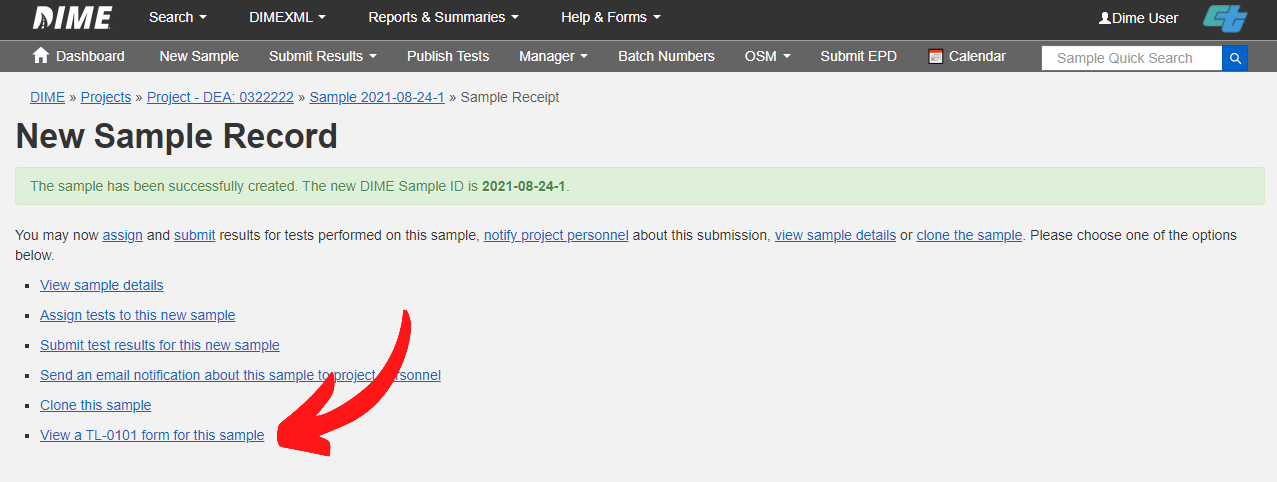
Immediately after creating and saving a sample record, you will see a DIME sample
confirmation page. Click the link to get to the TL-0101/0502 form.
-
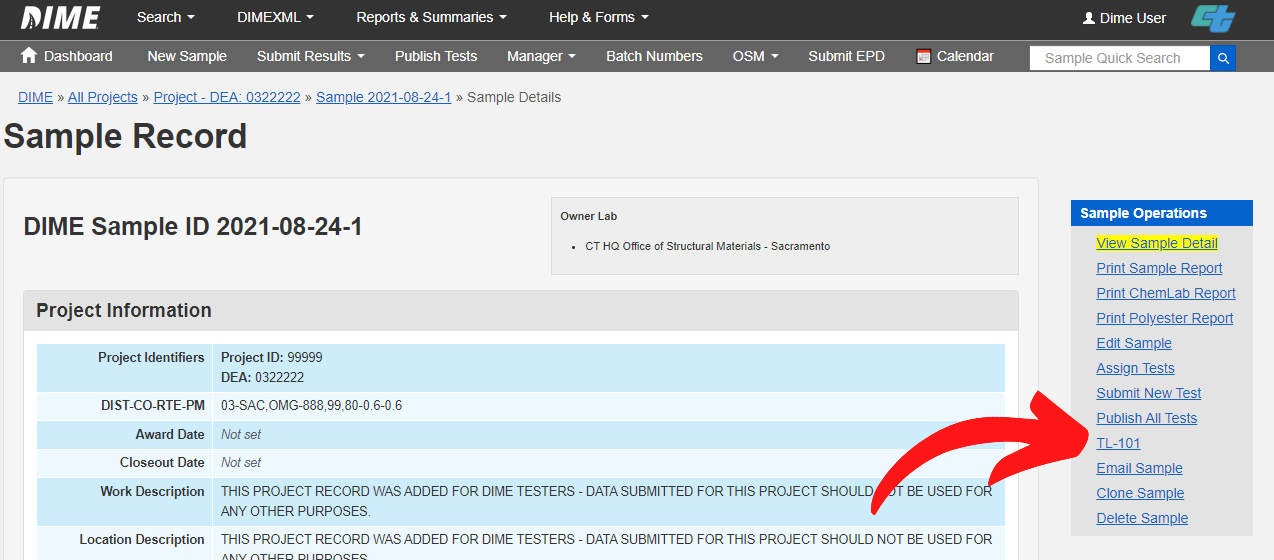
On any sample detail page, there is a link to get to the TL-0101/0502 form.
-
Immediately after creating and saving a sample record, you will see a DIME sample
confirmation page. Click the link to get to the TL-0101/0502 form.
- You can optionally print out a TL-0101/0502 with the information pre-populated on the form including the unique DIME ID. For better print layout quality, be sure to print the TL-0101/0502 form using landscape orientation and 100% paper size.
-
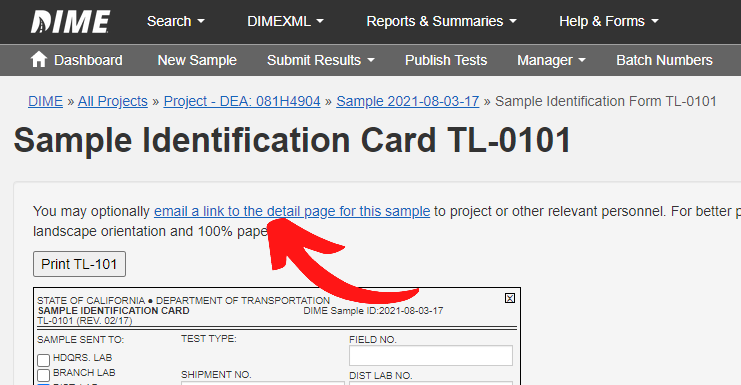
You may also email a link to the detail page of this sample to project or other stakeholders by
clicking on the "email a link to the detail page for this sample" link from
the TL-0101/0502 form page.
-
Determine if the laboratory/organization is using DIME to record and report their test data
and note the following:
- If the laboratory/organization is using DIME for test data recording and reporting then attach the printed TL-0101/0502 to the sample or simply write the DIME ID on the sample before sending the material in to the laboratory/organization to be tested.
- If the laboratory/organization is NOT using DIME for test data recording and reporting then attach the printed TL-0101/0502 to the sample before sending the material in to the laboratory/organization to be tested.
- Optionally, you may assign test(s) to be performed on the material sample by clicking on the "Assign Tests" link from any sample detail page or the TL-0101/0502 form page.
- Send the material sample to the laboratory/organization for testing and you're done.